
Common Graphic Design Mistakes That Make Your Brand Look Unprofessional
A customer might meet your business through a post, quote, flyer or website. A company’s use of different logos, fonts, and colours can create an impression of a lack of professionalism. Good Graphic Design ensures the company’s identity is apparent, and any mistake will not be a trivial one.
The majority of issues are caused by routine errors that include: problems with established guidelines, wrong designs, wrong images, and untested graphics. Let us name the wrong design types that you should not ignore and how to remedy them.
Why Flaws in Graphic Design Have an Impact on Something Greater
The visuals influence people’s understanding of the information and perception of the company. Five different typefaces, the small text of the ad, and long logos may become obstacles in the way of a great offer.
Consistency does not equal identical assets. They should look similar and fulfil their mission.
So, the question is whether the brand is recognizable, the message is understood, and the actions are clear.
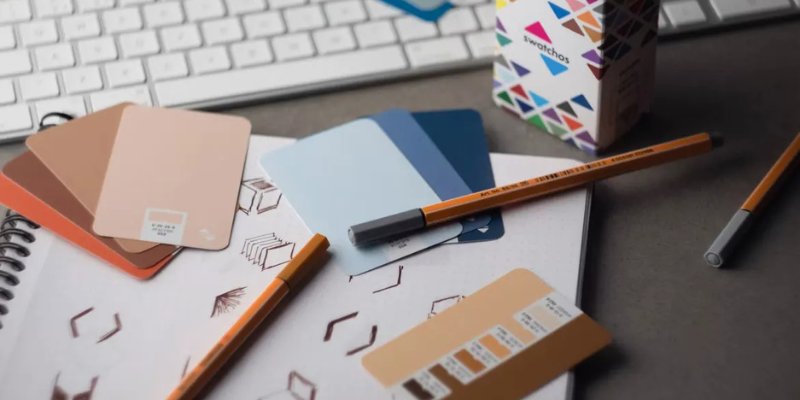
Common Brand Design Mistakes and Practical Fixes
Mistake | What people notice | Practical fix |
Colours change from one asset to another | The brand feels fragmented | Use a defined colour palette and record colour values |
Too many typefaces compete | The message feels noisy | Limit the core type system to two or three font families |
Every element is emphasised | Nothing stands out | Set a clear order for headline, supporting copy and action |
The logo is stretched | The mark looks distorted | Use approved files and preserve clear space |
Images are blurry or pixelated | The work appears unfinished | Export at the correct size and resolution |
Text is small or low contrast | Details are difficult to read | Check contrast and legibility on a phone |
Templates are used without adaptation | The business looks generic | Tailor layouts to the audience, offer and brand voice |
Artwork is reused without checking rights | The business may face a usage dispute | Confirm licences, permissions and ownership before publishing |
Inconsistent Visual Identity Across Platforms
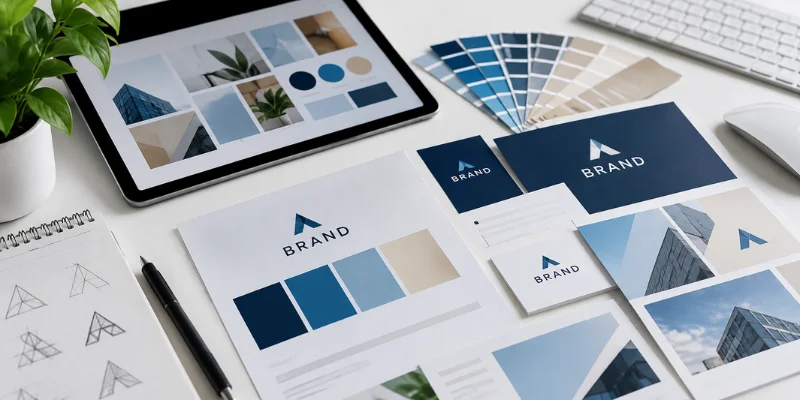
One week the brand uses navy and cream; the next, a template introduces three new colours. The logo changes shape on a brochure and social graphics use a new heading style. Together, these choices weaken brand consistency.
Set simple rules for colour, type and logo use
Create a short brand style guide staff and contractors can use. Include:
- Primary and supporting colours, with HEX or print colour values
- Approved logo versions and minimum clear space
- Heading and body font choices, plus basic size guidance
- Image style, icon treatment and button or callout styles
- Examples of what not to stretch, recolour or place over a busy background
Keep the master files in one shared location and name them clearly. That prevents an old logo from being pulled from an email attachment or a screenshot. For more on keeping a site visually consistent, see WebinCube’s guide to website design trends.
Crowded Layouts and Weak Visual Hierarchy
As a designer, one should remember that it does not matter how much relevant information is put in the design; if it is difficult to separate one piece of information from another, the design will not be efficient. Long messages, bright buttons and some headings may confuse the reader.
Give each design one clear job
Before adding visual elements, note the one action or idea the asset needs to support. Then:
- Put the main message in the strongest position.
- Use size, weight and spacing to separate headline, details and supporting information.
- Keep secondary copy short and group related details together.
- Use whitespace to create breathing room rather than filling every gap.
- Check the design at the size people will actually view or print it.
The Australian Government Style Manual advises designing for accessibility and inclusion. Make information easy to distinguish and do not rely on colour alone to communicate meaning. See its accessibility guidance when checking digital visuals.
Poor Typography and Hard-to-Read Colour Combinations
Typography carries tone, but its job is also to help people read. Script fonts may suit a short accent, but are difficult in paragraphs. Very light text, tight spacing and all-capital headings can tire readers, especially on a small screen.
Test a small type system on mobile, not only in a zoomed-in file. Keep body text readable, distinguish headings and avoid essential text over busy photos. Pair colour-coded information with labels or icons.
Low-Quality Images and Incorrect File Preparation
An enlarged logo from a tiny web image may be pixelated. A big picture can make a website sluggish. The print file in the wrong colour mode can differ from the online view. Thus, the file should correspond to its target.
Match the asset to its destination
- Use SVG, EPS or PDF format when you can for logos.
- Save images in the right sizes and resolutions depending on where they will be used.
- Make unique versions for social media instead of using one image for all media.
- If working on a print job, make sure that the printer has the right specs for the file, bleeds, color and resolution.
- Keep your sources for the images, fonts and files so that they can be edited in future.
Test the export of your image on your phone and get a printed copy whenever required. Verify that stock photos, icons, and fonts have been properly licensed for the job. Intellectual Property Australia states that intellectual property refers to creative works, brand names, logos, and designs; view the organization’s intellectual property rights page.
Overusing Templates Without Adapting Them
The use of templates helps to save time, but the layout as such might not be in accordance with the message, colors, or the audience. Using the same old template again and again might give your company a typical look.
Always treat templates as mere bases and try to alter the fonts, color scheme, layout and imagery according to the audience. Make some templates for yourself which you can use over and over again if the purpose does not change.
Designing Without a Clear Brief or Feedback Process
“Make it pop” is not enough direction. Without a brief, revisions can become personal preferences instead of decisions tied to the audience and goal.
Write a short design brief before work begins
Record:
- Who needs to see or use the design?
- What should they know, feel or do after seeing it?
- Where will the asset appear, and at what size?
- What copy, images, brand assets and legal details must be included?
- Who gives final approval, and what does success look like?
Ask one person to consolidate feedback. “Increase contrast on the offer” is easier to act on than “make it more exciting.” Save approved versions as references.

A Final Review Before Publishing or Printing
Inspect the exported design, not just the working file. Check:
- Is the business name, offer, date and contact information correct?
- Does the logo have the right proportions and enough clear space?
- Can someone scan the headline and next step in a few seconds?
- Are text and background easy to distinguish on a mobile screen?
- Do the image dimensions and file format suit the destination?
- Are image, font and template permissions documented?
Keep this review with the content calendar or production checklist to prevent repeated errors.
Conclusion
Mistakes in Graphic Design seldom arise out of one significant mistake. Instead, they accumulate from naivety through a series of incremental choices. Using outdated logos, inappropriate colour combinations and unsuitable templates can create issues. Following a brief style guide, an outline showing the required structure and a quality check can make it possible to produce promotional materials in a more consistent manner.
WebinCube assists companies in bringing the interrelation between branding, web design, content, social media, SEO and advertising into the recognizable customer experience. Analysing the latest products provided allows us to discover design defects and gives a number of pointers for future work.
FAQs
1. What are some elements that may render a brand looking unprofessional?
The choice of colors, fonts, and logos, and low-quality images and messy design may result in an inconsistency of the brand image. A practical approach should be taken into consideration and content should be proofread before publishing.
2. How many font types do companies typically need?
It is usually two to three font types that are required for headers, main text, and an accent.
3. Is a style guide essential for a small company?
Absolutely, because having a style guide that includes one page that will outline the color schemes, fonts, logos, and layouts will definitely be useful.
4. Which file type should be used for a logo?
The use of SVG, EPS or PDF files is appropriate because vector images don’t pixelate. Have a large PNG on hand for platforms that do not support them.
5. How often should the visual identity be reviewed by a business?
When services, target audience, or positioning change is when the review must take place, or when a certain brand looks inconsistent. Refreshing is not something that should happen just because of a trend; it must solve a real problem.